Quick Answer
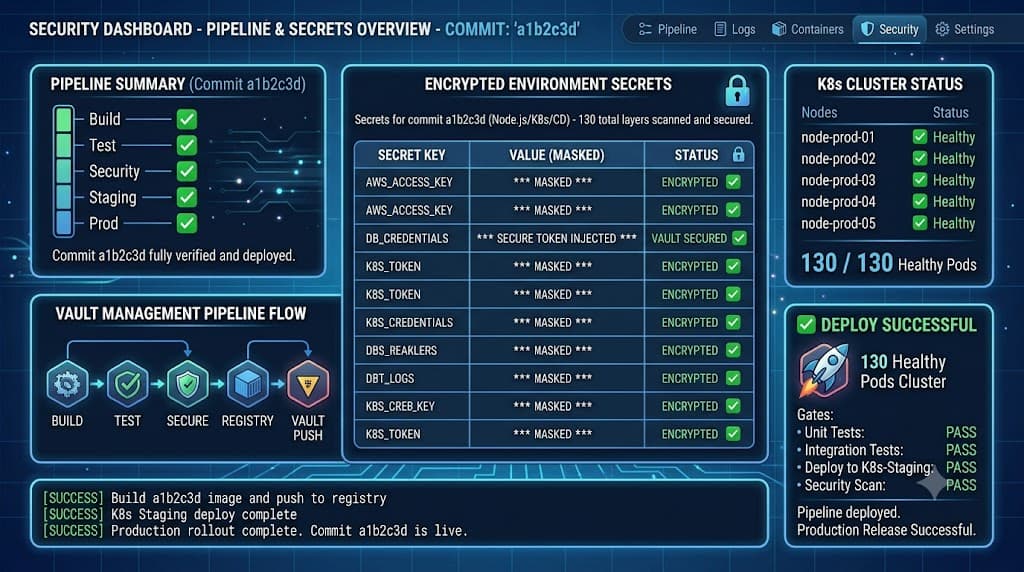
Environment variables let CI/CD workflows pass configuration to jobs and commands, while sensitive values should be stored using dedicated secret mechanisms. Modern continuous integration and continuous deployment pipelines rely heavily on parameterized configurations to remain adaptable across different deployment targets, testing frameworks, and release stages. Hardcoding database connection strings, API tokens, or server endpoints into source code files introduces massive security vulnerabilities and makes multi-environment orchestration virtually impossible. By abstracting these volatile settings away from the codebase, engineering teams can maintain a single, clean codebase that securely adapts its behavior depending on where it executes. However, configuring these systems incorrectly can lead to credential leakage, broken builds, or fragile deployment pipelines that fail unpredictably.
To achieve robust pipeline architecture, developers must understand how variables interact with different execution boundaries, how build-time injection differs fundamentally from runtime evaluation, and how to isolate settings across staging and production environments. This guide explores the mechanics of pipeline configuration, comparing standard variables against encrypted secrets while providing practical examples across popular continuous integration platforms.
Quick Answer
Environment variables let CI/CD workflows pass configuration to jobs and commands, while sensitive values should be stored using dedicated secret mechanisms. In practice, pipeline tools inject these key-value pairs into the shell environment where build scripts, test suites, and deployment tools execute. While non-sensitive parameters such as feature flags, node environments, or build targets can be safely defined in plain-text configuration files or pipeline YAML definitions, sensitive credentials like production database passwords, cloud IAM keys, and signing certificates must never be stored in plaintext. Instead, they require encrypted storage backends provided by the CI/CD vendor or external vaults, which mask their values in execution logs and decrypt them strictly inside authorized runner memory.
Variables vs Secrets
Understanding the distinction between standard variables and secrets is the cornerstone of secure continuous integration design. While both appear as key-value pairs inside pipeline execution environments, their underlying security models, lifecycle management practices, and handling requirements differ radically.
Standard Pipeline Variables
Standard pipeline variables are designed for non-sensitive configuration data that dictates how a build, test, or deployment script behaves. Examples include boolean flags like CI=true, build optimization settings like NODE_OPTIONS=--max-old-space-size=4096, or public endpoints like API_BASE_URL=https://api.staging.internal. These values do not present a security risk if read by unauthorized individuals or exposed in standard output logs. They can be safely committed to version control systems when defined in workflow YAML files, shared openly among team members, and viewed directly in pipeline execution dashboards without masking.
Secrets and Sensitive Credentials
Secrets, conversely, represent highly sensitive authentication tokens, cryptographic keys, private certificates, and database credentials that grant access to infrastructure, user data, or third-party APIs. If leaked, these values can lead to severe data breaches, unauthorized cloud resource consumption, or complete infrastructure compromise. Consequently, secrets require specialized handling. CI/CD platforms provide dedicated encrypted secret stores that encrypt data at rest and in transit. Crucially, modern pipeline runners automatically inspect command outputs and logs for matching secret strings, replacing them with a sequence of asterisks before rendering them in the web UI. Engineers must treat any value capable of authenticating an identity or authorizing an action as a secret, regardless of how temporary its intended lifespan might be.
Scope
Configuration scope determines the visibility, accessibility, and lifespan of variables and secrets throughout a pipeline execution. Without proper scoping rules, pipelines quickly devolve into insecure tangles where every job has blanket access to every credential.
Workflow-Level Scope
Workflow-level variables are declared at the root level of a configuration file, making them globally accessible to every job, step, and service defined within that specific workflow run. This scope is ideal for shared metadata, application names, or global configuration flags that remain static across all execution phases. However, applying workflow-level scope to sensitive credentials is a dangerous anti-pattern because it unnecessarily exposes secrets to jobs—such as running third-party linting tools or untrusted test runners—that have no business accessing production infrastructure.
Job-Level Scope
Job-level scope restricts variable visibility to a single isolated job container or virtual machine. When a workflow executes multiple parallel or sequential jobs, a variable defined within one job is invisible to sibling jobs. This level of isolation is crucial for multi-stage pipelines where build jobs must not inherit deployment-stage credentials. By confining variables to the specific job that requires them, the blast radius of any potential compromise is drastically reduced.
Step-Level Scope
Step-level scope represents the most granular boundary available in modern CI/CD systems. Variables or secrets declared directly within an individual step are accessible solely during the execution of that specific command or action. Once the step completes, the variable is immediately discarded from memory and is inaccessible to subsequent steps in the same job. This tight scoping ensures that transient tokens generated for a specific deployment command cannot be intercepted by subsequent debugging or logging steps.
Build vs Runtime
Deciding when configuration values should be evaluated and injected into an application is a critical architectural decision. The distinction between build-time and runtime configuration directly impacts artifact portability, security posture, and deployment velocity.
Build-Time Injection
Build-time configuration occurs when environment variables are read and baked directly into application binaries, container images, or bundled static assets while the compilation or packaging process runs. For example, frontend applications built with frameworks like React or Vue often require environment variables prefixed with specific identifiers to embed API endpoints directly into the compiled JavaScript bundle.
The primary drawback of build-time injection is artifact immutability coupled with environment coupling. If an application requires different backend endpoints for staging versus production, baking those values at build time means you must compile a distinct, unique artifact for every single environment. This violates the immutable infrastructure principle, which dictates that the exact same binary or container image promoted through staging should be deployed unchanged to production.
Runtime Injection
Runtime configuration defers the evaluation of environment variables until the application container or service actually starts up in its target execution environment. Rather than baking secrets or configuration into the binary, the application reads standard environment variables from the host operating system, orchestration platform, or container runtime initialization process upon startup.
Runtime injection preserves artifact portability, allowing the exact same Docker image to run seamlessly across development, staging, and production clusters simply by attaching different environment variable maps at launch. This approach also enhances security; secrets do not linger inside static artifact registries where unauthorized users might download and inspect image layers. Instead, secrets are injected ephemerally at the exact moment of container instantiation.
Environments
Enterprise software delivery relies on multiple isolated stages—typically development, staging, and production—to validate code quality before it reaches end users. CI/CD platforms use environment-based scoping to isolate configuration values between these distinct deployment targets.
Environment Isolation and Protection
An environment configuration feature allows administrators to assign distinct sets of variables and secrets to specific deployment targets. For instance, a variable named DATABASE_URL can have three entirely different values depending on whether the pipeline is targeting the development, staging, or production environment scope. Pipeline platforms prevent cross-contamination by ensuring that jobs targeting production cannot read variables scoped exclusively to development.
Furthermore, production environments often incorporate manual approval gates and required reviewer workflows. Even if a deployment script attempts to access production secrets, the pipeline execution pauses until an authorized human reviewer inspects the deployment parameters and explicitly approves the workflow continuation. This protective barrier ensures that automated scripts cannot blindly push arbitrary code changes or misconfigured variables directly into live production infrastructure.
Examples
Practical implementation varies across CI/CD engines, but the core concepts remain consistent. Below are concrete examples demonstrating how to define and utilize an env variable, a secret, a workflow variable, and an environment variable within modern workflow definitions.
Workflow Variable Example
Workflow-level variables are declared at the top of a pipeline configuration file to provide shared configuration parameters across multiple execution steps.
name: CI Pipeline
on: [push]

env:
  NODE_ENV: production
  APP_PORT: 8080

jobs:
  build:
    runs-on: ubuntu-latest
    steps:
      - name: Checkout Code
        uses: actions/checkout@v4
      - name: Print Workflow Variable
        run: echo "Running build for environment: $NODE_ENV on port $APP_PORT"
Environment Variable and Secret Example
Job-level environment variables combined with encrypted secrets provide secure injection for deployment tasks without exposing sensitive tokens in plain-text logs.
jobs:
  deploy:
    runs-on: ubuntu-latest
    environment: production
    steps:
      - name: Deploy to Cloud Provider
        env:
          API_TOKEN: ${{ secrets.PRODUCTION_DEPLOY_KEY }}
          DEPLOY_REGION: us-east-1
        run: |
          echo "Deploying to region $DEPLOY_REGION..."
          ./deploy-script.sh --secure
Step-Level Variable Example
Step-level scoping restricts volatile parameters strictly to the single command execution block that requires them.
    steps:
      - name: Run Database Migration
        env:
          DB_CONNECTION_TIMEOUT: 30
        run: |
          node migrate.js --timeout $DB_CONNECTION_TIMEOUT
Common Mistakes
Even experienced engineers occasionally fall into recurring traps when configuring CI/CD pipelines. Recognizing these failure modes prevents security breaches and hard-to-debug pipeline failures.
Exposing Credentials in Logs
The single most dangerous mistake in pipeline configuration is accidentally printing sensitive environment variables or secrets to standard output. Many common command-line tools, debugging flags, or verbose build scripts automatically dump all active environment variables when an error occurs. If a secret is stored in a standard variable rather than an encrypted secret store, the CI/CD platform cannot mask it. Consequently, the plaintext credential gets permanently recorded in public or internal build logs, where anyone with read access to the repository can harvest it.
Hardcoding Secrets in Source Control
Another critical risk involves committing configuration files containing fallback secrets directly into version control repositories. Even if developers delete the sensitive file in a subsequent commit, the credential remains permanently etched in the Git commit history. Remedying this requires complex repository rewriting tools and immediate revocation of the compromised token across all associated cloud services and identity providers.
Over-Scoping Credentials
Granting broad, organization-wide access to high-privilege secrets violates the principle of least privilege. When every workflow in a repository can access master deployment tokens, a compromised dependency in a minor testing branch can grant attackers full control over production infrastructure. Always restrict sensitive credentials using granular environment scopes and job-level boundaries to limit potential blast radiuses.
📌 Recommended Next Guides & References
  <li>
    <a href="/article/docker-and-kubernetes-how-they-work-together-2" class="text-primary hover:underline font-semibold flex items-center gap-2">
      <span>→</span> <span>Docker and Kubernetes: How They Work Together</span>
    </a>
  </li>

  <li>
    <a href="/article/kubernetes-ingress-explained" class="text-primary hover:underline font-semibold flex items-center gap-2">
      <span>→</span> <span>Kubernetes Ingress Explained: Routing, Controllers, and TLS</span>
    </a>
  </li>

  <li>
    <a href="/article/kubernetes-ingress-controller-explained" class="text-primary hover:underline font-semibold flex items-center gap-2">
      <span>→</span> <span>Kubernetes Ingress Controller Explained: Architecture, Routing, and Implementation</span>
    </a>
  </li>