Quick Answer
Building powerful AI agent workflows requires bridging large language models with real-world systems, databases, and APIs. When working with developer-focused automation frameworks, knowing how to execute a proper hermes agent mcp setup is critical for unlocking external capabilities safely and efficiently. By leveraging standardized communication protocols, developers can expand agent utility far beyond static training data without custom API wrappers for every new service.
Quick Answer: Connecting MCP Servers to Hermes Agent
To configure a reliable connection between your execution environment and external utilities, you must follow a structured initialization workflow. Configure a compatible MCP server, expose its tools to Hermes Agent, then test tool discovery and execution with least-privilege access.
The core workflow relies on the Model Context Protocol (MCP) to establish a bidirectional communication channel. The agent acts as an MCP client that queries the server for available capabilities, interprets the returned JSON schemas, and dynamically injects tool definitions into its reasoning loop.
[!TIP] Pro Tip: Always initialize your server connections in a restricted staging sandbox before granting them production database or filesystem write privileges.
Understanding MCP Basics and Model Context Protocol
The Model Context Protocol establishes an open standard for how AI models connect to data sources and tools. In traditional architectures, developers write bespoke function-calling schemas for every single API integration, leading to massive boilerplate and brittle maintenance cycles. With a standardized hermes agent mcp architecture, servers abstract underlying resource logic into uniform endpoints.
+-------------------------------------------------------------+
|                        Hermes Agent                         |
|  +-------------------+         +-------------------------+  |
|  |   LLM Reasoning   | <-----> |       MCP Client        |  |
|  +-------------------+         +-------------------------+  |
+---------------------------------------------^---------------+
                                              | JSON-RPC over stdio / SSE
+---------------------------------------------v---------------+
|                       External Server                       |
|  +-------------------+         +-------------------------+  |
|  |    MCP Server     | <-----> | External Tools / APIs   |  |
|  +-------------------+         +-------------------------+  |
+-------------------------------------------------------------+
To understand why this shift matters, consider how native function definitions compare against decoupled server setups. Native tool definitions live inside the application codebase, requiring code deployments whenever an API changes. Conversely, a dedicated hermes agent mcp server runs as an independent process, communicating via standard input/output or Server-Sent Events.
✓ Advantages of MCP
- Decouples tool implementation from agent core logic
- Enables dynamic runtime tool discovery without rebuilds
- Standardizes authentication and transport boundaries
- Reusability across multiple different LLM runtimes
✕ Native Tool Limitations
- Tied tightly to specific source code repositories
- Requires application redeployment for minor API tweaks
- High maintenance overhead for multi-agent systems
- Complex custom error handling per integration
Hermes Agent MCP Server Configuration
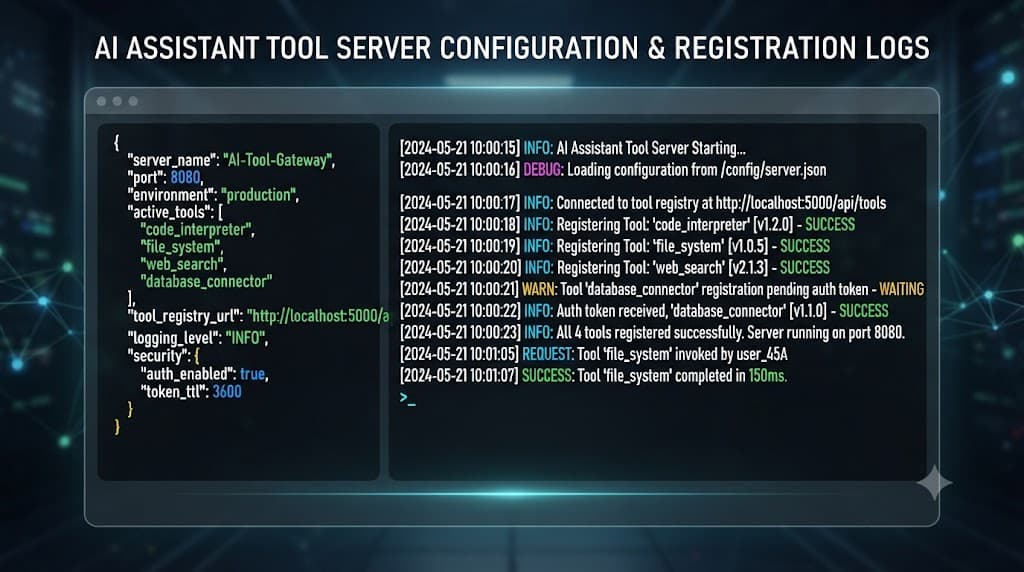
Connecting an external server requires defining transport mechanisms, environment variables, and configuration blocks within your agent runtime settings. The transport layer dictates how data moves between the agent process and the server process. Most local implementations rely on standard input and output (stdio), while remote or containerized setups utilize Server-Sent Events (SSE).
When writing your configuration file, you must specify the executable command, required arguments, and any scoped environment credentials. Below is an example configuration structure demonstrating how to register a local filesystem utility server:
{
  "mcpServers": {
    "filesystem": {
      "command": "node",
      "args": ["/path/to/mcp-server-filesystem/dist/index.js"],
      "env": {
        "ALLOWED_DIRECTORY": "/home/developer/sandbox"
      }
    }
  }
}
Carefully review your environment variables. Never hardcode production API tokens or root database passwords directly into configuration files. Instead, reference system environment variables or use secure secret managers that resolve keys at runtime.
[!WARNING] Warning: Exposing shell execution or unrestricted filesystem servers to an autonomous agent can lead to critical data loss if proper sandboxing is omitted.
Tool Discovery and Minimal Implementation Example
Once the configuration file is parsed by the runtime, the agent initiates handshake sequences with all registered servers. During this handshake, the system executes tool discovery by requesting a manifest of available operations, input parameters, and validation schemas from the remote endpoint.
To see this in action, let us examine a minimal, concrete implementation of a custom utility server designed to be invoked by your agent instance:
import { Server } from "@modelcontextprotocol/sdk/server/index.js";
import { StdioServerTransport } from "@modelcontextprotocol/sdk/server/stdio.js";

const server = new Server(
  {
    name: "custom-metrics-server",
    version: "1.0.0",
  },
  {
    capabilities: {
      tools: {},
    },
  }
);

server.setRequestHandler(ListToolsRequestSchema, async () => ({
  tools: [
    {
      name: "get_system_metrics",
      description: "Fetch current CPU and memory utilization metrics",
      inputSchema: {
        type: "object",
        properties: {},
      },
    },
  ],
}));

const transport = new StdioServerTransport();
await server.connect(transport);
When the agent boots, it polls this server, registers get_system_metrics into its internal tool registry, and can invoke it autonomously whenever a user prompt requires real-time resource diagnostics.
Testing, Common Mistakes, and Security Considerations
Validating your integration requires a methodical testing approach before deploying agents to production environments. Begin by running the server standalone in your terminal to verify that JSON-RPC messages output correctly without runtime exceptions or unhandled promise rejections.
Common pitfalls during setup typically involve misconfigured transport paths, incorrect Node or Python interpreter versions, or overly permissive access rights granted to the server process. Developers frequently make the mistake of utilizing unverified community servers without auditing source code, opening up vectors for malicious command injections.
[!TIP] Pro Tip: Use mock inputs and dry-run flags during initial test phases to ensure your agent handles unexpected server timeouts and error payloads gracefully.
Review this security checklist before finalizing your deployment:
- Audit all third-party server codebases and dependencies for known vulnerabilities.
- Enforce strict containerization or process sandboxing for any server handling filesystem or shell tasks.
- Implement rate limiting and execution timeouts on all tool-call responses.
- Regularly rotate credentials passed via environment variables to the server processes.