Quick Answer
Configuring autonomous developer agents correctly requires understanding how model routing, provider endpoints, and environment variables interact. When setting up your environment, improper schema definitions or mismatched identifiers can cause connection drops or authentication failures. This guide provides a detailed reference for managing every parameter in your agent setup.
Quick Answer: How Hermes Agent Configuration Works
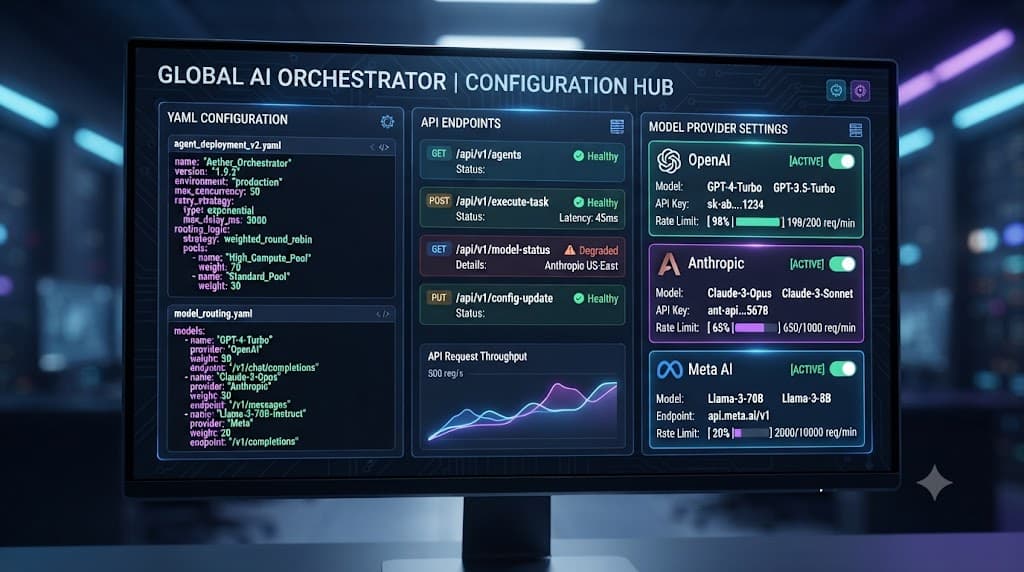
Hermes Agent configuration controls model and provider behavior, custom endpoints, and related settings. Use the current documented configuration format and always verify provider credentials and endpoints before deployment. The core system relies on a centralized config file that dictates how prompts are structured, which foundational models handle inference, and how rate limits or timeouts are managed.
[!NOTE] Architecture Note: The configuration loader validates incoming parameters against an internal schema during the initialization phase, rejecting malformed blocks before any network socket is opened.
Understanding the foundational layout of these settings prevents subtle runtime bugs. Whether you are connecting to managed cloud providers or local inference engines, establishing a clean, valid configuration file is the first step toward reliable autonomous execution.
Where Configuration Lives and Basic Schema Structure
By default, the configuration file resides within your user profile directory under a dedicated application folder, typically located at ~/.config/hermes/config.yaml on Unix-like operating systems or within the respective application data directory on Windows platforms. The system supports both JSON and YAML formats, though YAML is widely preferred for its support of comments and cleaner nested hierarchies.
version: "1.0"
agent:
  name: "default-assistant"
  max_iterations: 10
  timeout_seconds: 120
model:
  provider: "anthropic"
  name: "claude-3-5-sonnet-20241022"
  temperature: 0.2
  max_tokens: 4096
The configuration parser reads this file sequentially upon startup. If a required key is missing, the agent falls back to hardcoded defaults or throws an explicit validation exception, stopping execution before an invalid state can propagate. Developers can override these file-based settings dynamically using command-line flags or environment variables, giving flexibility across different deployment pipelines such as CI/CD runners or local developer machines.
Model Selection and Provider Setup
Selecting the right model and provider combination requires precise alignment between the provider name string and the model identifier recognized by that specific API. A common source of configuration failure involves mismatched strings, such as passing an OpenAI model string into an Anthropic provider block.
providers:
  openai:
    api_base: "https://api.openai.com/v1"
    default_model: "gpt-4o"
  anthropic:
    api_base: "https://api.anthropic.com/v1"
    default_model: "claude-3-5-sonnet-20241022"
  openrouter:
    api_base: "https://openrouter.ai/api/v1"
    default_model: "anthropic/claude-3.5-sonnet"
  ollama:
    api_base: "http://localhost:11434/v1"
    default_model: "llama3:70b"
When configuring cloud providers like OpenAI or Anthropic, ensure your model strings reflect the exact versions supported in their current API documentation. For OpenRouter, model strings must include the provider prefix (e.g., anthropic/claude-3.5-sonnet or google/gemini-pro-1.5) to route queries correctly through their aggregator gateway. Local runtimes like Ollama require the local server daemon to be active and reachable via the specified api_base URL before booting up your workflows.
Configuring Custom Endpoints and Credentials
Production deployments often require routing traffic through enterprise gateways, private VPC endpoints, or local mock servers for testing. The configuration system allows you to define custom endpoints while keeping sensitive secrets out of plain-text configuration files.
custom_endpoint:
  enabled: true
  name: "corporate-gateway"
  api_base: "https://ai-proxy.internal.corp.com/v1"
  auth_header: "X-Enterprise-Token"
  model_mapping:
    fallback_model: "internal-llama-3"
[!WARNING]
Security Warning: Never hardcode secret API keys directly into your configuration files. Always inject credentials using environment variables like HERMES_API_KEY or reference your operating system's secure secret manager.
To manage credentials securely, map your environment variables directly in your execution shell or orchestration tool. The agent automatically checks for standard environment variables corresponding to each provider, falling back gracefully if explicit config blocks omit them.
Hosted Versus Local Provider Configuration
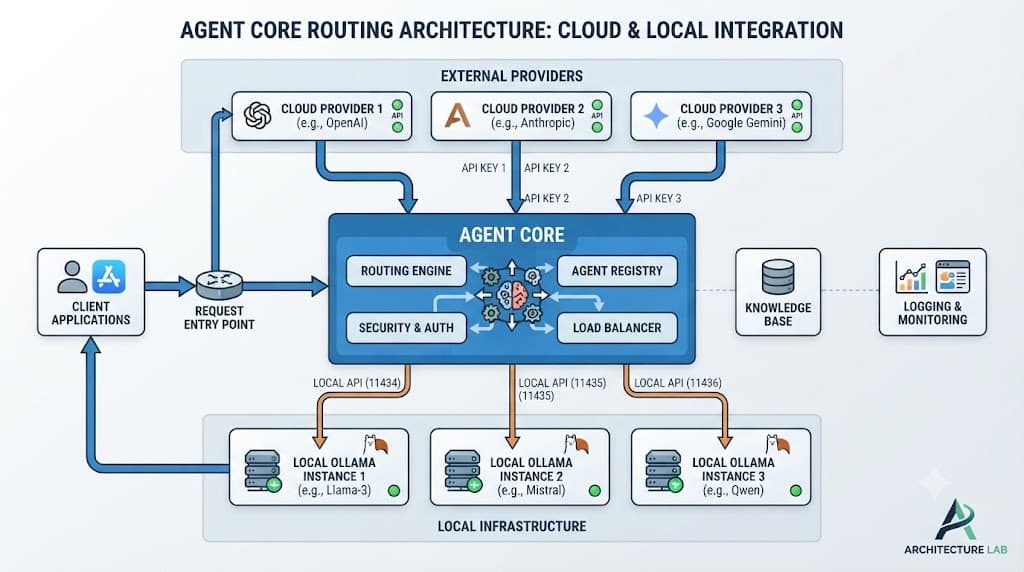
Choosing between cloud-hosted inference and local models involves balancing latency, cost, data privacy, and hardware constraints. Each deployment pattern requires distinct configuration parameters.
✓ Hosted Provider Pros
- Access to frontier reasoning models
- Zero local hardware infrastructure required
- Elastic scaling for high concurrency
✕ Hosted Provider Limitations
- Data leaves local network perimeter
- Recurring API token costs
- Subject to third-party rate limits and outages
When running local models via Ollama or vLLM, your configuration must specify larger timeout values to accommodate local hardware inference speeds, whereas cloud-hosted providers prioritize low network latency settings.
Common Mistakes and Security Warnings
Configuring advanced automation tools introduces potential security risks and silent failure modes. Being aware of these pitfalls ensures robust production operations.
[!TIP] Pro Tip: Validate your configuration file syntax by running the dry-run CLI command before launching long-running automated jobs.
Avoid these frequent configuration errors:
- Mixing provider names and model IDs, resulting in 404 Not Found errors from upstream APIs.
- Committing active API keys into public Git repositories instead of utilizing
.gitignorerules and sample templates. - Leaving deprecated configuration keys in place after upgrading your core software version, which can trigger unexpected default behaviors.
- Failing to configure appropriate iteration limits, leading to runaway API loops and unexpected billing spikes.