Quick Answer
Quick Answer
A Kubernetes namespace provides a logical isolation boundary within a single physical cluster, allowing multiple teams, projects, or environments to share the same underlying infrastructure without stepping on each other's toes. Namespaces partition cluster resources into distinct virtual environments, preventing naming collisions and enabling granular administrative controls. To inspect your current environment or view available partitions quickly, use standard cluster inspection utilities like kubectl get namespaces or check your current active context settings.
What Namespaces Are
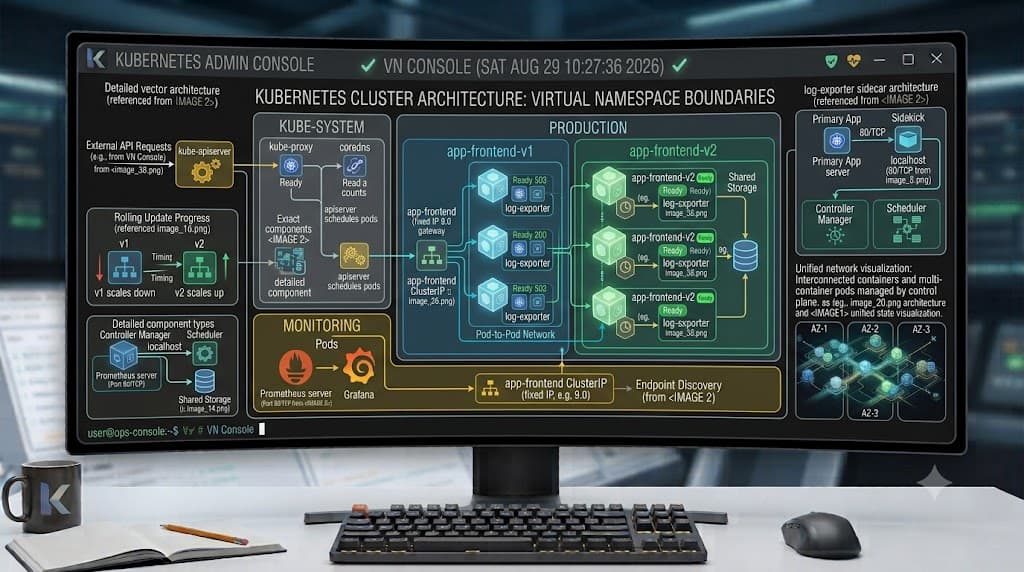
At its foundational architectural level, a kubernetes namespace splits a single physical or cloud-based cluster into multiple virtual sub-clusters. This mechanism is essential for organizations that want to maximize cluster utilization while maintaining clear separation between distinct workloads, development stages, or business units. When multiple teams deploy applications to the same shared infrastructure, object names such as Pods, Deployments, and Services must remain unique within their scope. Without namespaces, developers across different squads would frequently experience naming collisions, overwriting or conflicting with each other's deployments.
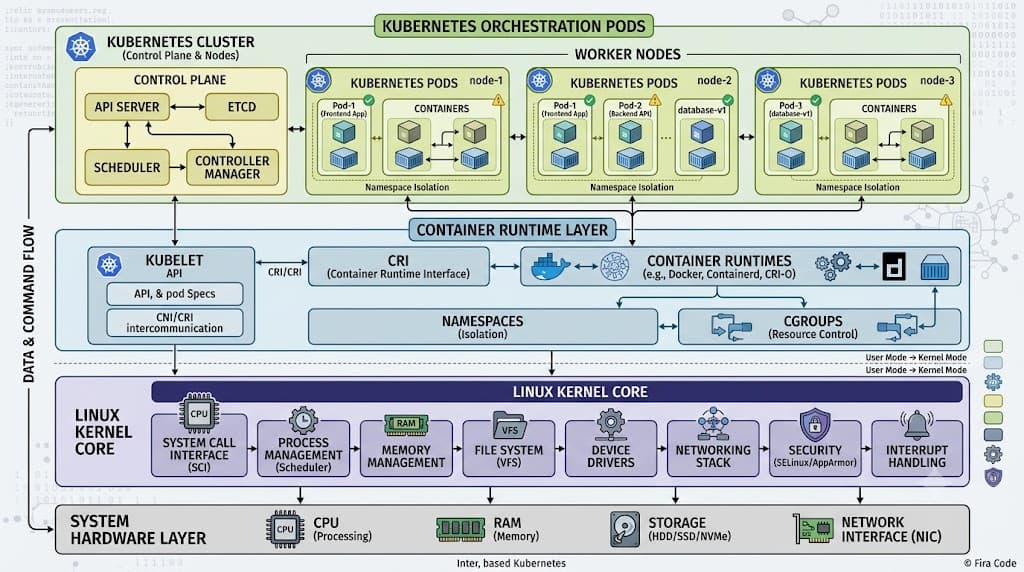
Deciding when to use a namespace requires understanding organizational scale and operational boundaries. You should establish separate namespaces to isolate distinct environments such as development, staging, and production when deploying full multi-stage release pipelines on a shared cluster. Similarly, partitioning by team or project ensures that different departments can manage their own application lifecycles independently. However, namespaces should not be viewed as a silver bullet for total security isolation. Because all namespaces share the same underlying Linux kernel, node operating system, and cluster control plane, a compromise or resource exhaustion event can potentially ripple across boundaries if additional hardening measures are not put in place.
Creating and Using Namespaces
Managing virtual partitions efficiently is a core responsibility for platform engineers and system administrators maintaining multi-tenant environments. Day-to-day operations involve instantiating new partitions, inspecting existing resource distributions, and ensuring workloads land in the correct logical boundary. By default, Kubernetes provisions several system-managed partitions during cluster bootstrapping, including default for general workloads, kube-system for core cluster components like DNS and proxies, and kube-public for cluster-wide public data.
kubectl create namespace
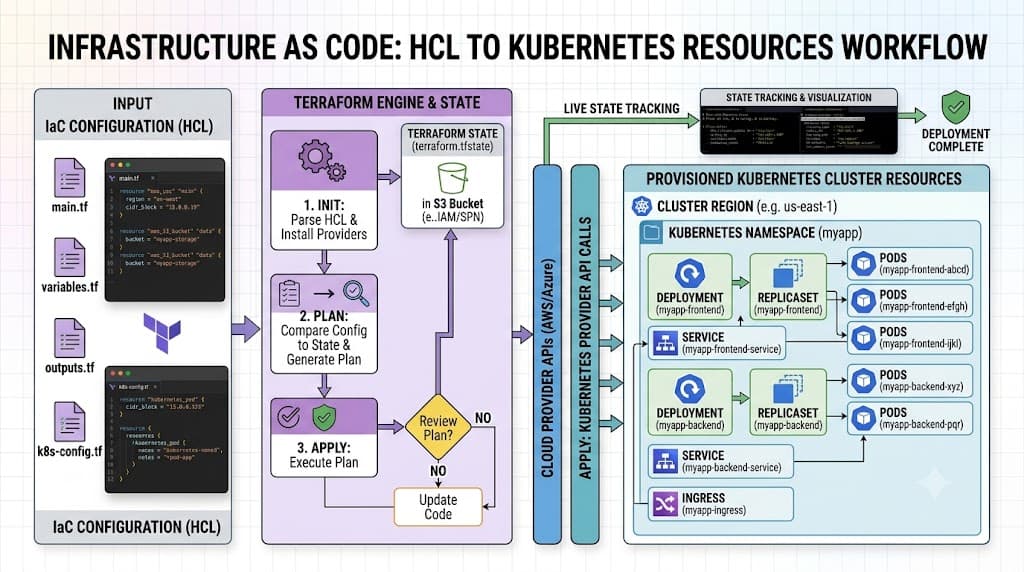
To instantiate a new virtual environment inside your cluster, the kubectl create namespace command is the standard starting point. For example, executing kubectl create namespace staging-environment provisions a fresh, empty partition ready to receive deployments, services, and configuration maps. You can also declare this boundary declaratively using a YAML manifest file specifying kind: Namespace alongside standard metadata. Declarative creation is strongly recommended for production workflows and Infrastructure-as-Code pipelines, ensuring that your cluster layout remains version-controlled and reproducible across cluster rebuilds or migrations.
kubectl get ns
Inspecting the cluster's current state requires listing and filtering virtual partitions to verify status and resource distribution. The kubectl get ns command provides a rapid overview of all active partitions, displaying their creation age and current lifecycle phase (such as Active or Terminating). For more detailed inspection, flags like -o wide or JSON/YAML output formats reveal additional metadata, including assigned labels and annotations. When troubleshooting missing workloads or validating multi-tenant setups, combining kubectl get pods --all-namespaces with targeted namespace filtering ensures you can quickly pinpoint where specific application components reside.
Resource Scope
Understanding how resource scoping functions across a Kubernetes cluster is crucial for preventing unexpected configuration errors. Kubernetes resources are strictly categorized into two distinct scoping models: namespaced objects and cluster-scoped objects. Most day-to-day application primitives—such as Pods, Deployments, ReplicaSets, Services, ConfigMaps, and Secrets—are namespaced objects. This means their names must be unique only within that specific namespace, allowing different teams to use identical names like api-service or database-config inside their respective departmental partitions without conflict.
Conversely, cluster-scoped objects exist independently of any individual namespace and span the entire physical cluster. Examples include Nodes, PersistentVolumes, ClusterRoles, ClusterRoleBindings, and StorageClasses. Because cluster-scoped resources provide foundational infrastructure and global security policies, modifying them typically requires elevated administrative privileges. When configuring applications that rely on persistent storage or node-level scheduling constraints, platform engineers must carefully navigate the interaction between namespaced PVCs (PersistentVolumeClaims) and cluster-scoped PVs, ensuring proper binding across boundaries.
Contexts and Quotas
As clusters grow in complexity, managing multiple virtual environments manually becomes cumbersome and error-prone. Kubernetes contexts solve this challenge by packaging a cluster endpoint, a user credential, and a default namespace into a single named configuration bundle. By leveraging context settings, engineers can seamlessly transition between development, staging, and production environments without needing to repeatedly append explicit namespace flags to every command.
To complement administrative contexts, resource governance mechanisms like ResourceQuotas and LimitRanges ensure that a single misbehaving application cannot monopolize cluster hardware. A ResourceQuota object enforces hard limits on aggregate resource consumption—such as CPU cores, memory allocation, and the maximum number of pods or persistent volume claims—within a specific namespace. Meanwhile, LimitRanges dictate default requests and limits for individual containers, preventing developers from deploying unconstrained workloads that could destabilize neighboring applications sharing the same worker nodes.
kubectl config set-context --current --namespace=...
Switching your active working environment safely is essential for avoiding accidental deployments to production clusters. The command kubectl config set-context --current --namespace=production updates your local kubeconfig file, binding your active terminal session to the specified partition. Once this context switch is executed, subsequent commands like kubectl apply -f deployment.yaml or kubectl get pods automatically target that namespace without requiring the -n or --namespace flag. To verify your current active configuration and confirm that your terminal session is pointing to the correct environment, running kubectl config view --minify displays the active user, cluster, and namespace parameters in real time.
RBAC and Isolation
Security architecture in a multi-tenant cluster heavily relies on integrating namespaces with Role-Based Access Control (RBAC). While namespaces provide logical organization, they do not enforce security by default; any user with cluster-wide privileges can read or modify resources across all partitions. By pairing namespaces with scoped Role and RoleBinding objects, platform engineers can restrict developers and service accounts so they can only view or manage resources within their assigned departmental boundaries. For instance, a developer team might receive full administrative rights inside the dev namespace while possessing zero visibility into the production namespace.
It is vital to recognize the critical warning that namespaces do not provide complete hard isolation by themselves. Because all pods run on shared worker nodes and share the underlying Linux kernel, namespaces alone cannot prevent sophisticated container escape vulnerabilities or noisy-neighbor resource starvation. To achieve robust multi-tenant security, platform teams must layer additional hardening techniques on top of namespaces, including NetworkPolicies to restrict pod-to-pod traffic, Pod Security Standards to enforce secure container runtimes, and dedicated node pools or taint/toleration rules for critical workloads.
Common Mistakes
Operating multi-tenant clusters introduces several frequent pitfalls and failure modes that engineers must actively avoid. One major mistake is treating namespaces as impenetrable security perimeters, assuming that putting workloads in separate partitions protects them from malicious actors or compromised dependencies within the same cluster. Without implementing NetworkPolicies, pods in different namespaces can freely communicate with one another across the cluster network, defeating the purpose of logical separation.
Another common operational error involves neglecting resource quotas, leading to runaway batch jobs or memory leaks that consume all available node capacity and cause cascading evictions across unrelated workloads. Additionally, engineers frequently encounter cascading deletion traps: deleting a namespace automatically purges every namespaced object contained within it, which can cause catastrophic outages if a production namespace is accidentally removed. Implementing deletion protection mechanisms, strict RBAC guardrails, and rigorous CI/CD validation helps mitigate these risks and ensures reliable cluster operations.
📌 Recommended Next Guides & References
  <li>
    <a href="/article/docker-and-kubernetes-how-they-work-together-2" class="text-primary hover:underline font-semibold flex items-center gap-2">
      <span>→</span> <span>Docker and Kubernetes: How They Work Together</span>
    </a>
  </li>

  <li>
    <a href="/article/kubernetes-ingress-explained" class="text-primary hover:underline font-semibold flex items-center gap-2">
      <span>→</span> <span>Kubernetes Ingress Explained: Routing, Controllers, and TLS</span>
    </a>
  </li>

  <li>
    <a href="/article/kubernetes-ingress-controller-explained" class="text-primary hover:underline font-semibold flex items-center gap-2">
      <span>→</span> <span>Kubernetes Ingress Controller Explained: Architecture, Routing, and Implementation</span>
    </a>
  </li>