Quick Answer
As software projects grow and teams collaborate across multiple features, repositories inevitably accumulate a large number of stale branches. Knowing how to properly manage these branches by learning how to git delete remote branch is a crucial skill for every developer. When features are merged into the main codebase, their corresponding branches often remain on the remote server, cluttering the workspace and creating confusion about which branches are actively being developed. Maintaining a clean repository requires regular hygiene, including the removal of outdated references both locally and remotely. Neglecting this maintenance can lead to developers accidentally committing code to obsolete tracks, slowing down repository cloning times, and making it difficult to find active branches during code reviews. By mastering remote branch deletion and understanding the mechanics behind remote-tracking references, you can ensure a smoother, more organized workflow for your entire development team.
To understand how remote branch deletion works, it is important to first define what a remote branch actually is within the Git ecosystem. In Git, a remote branch is not a direct file pointer residing on your local machine; rather, it is a reference to the state of a branch on a remote repository like GitHub, GitLab, or Bitbucket. When you interact with a remote, your local repository maintains remote-tracking branches, which act as local caches or read-only snapshots of where the remote branches were the last time you fetched or pulled. There is a clear distinction to be made here: your local working branches are entirely separate from remote-tracking branches, and both are separate from the actual remote references stored on the server. When you execute commands to manipulate remote branches, you are instructing the remote server to drop its pointer to a specific commit history, after which your local environment must be synchronized to reflect those changes accurately.
Executing a command to delete a remote branch involves sending a specific push instruction to the remote repository server. Under the hood, Git treats branch deletion as a special case of updating a reference. When you push changes, you are essentially telling the remote server to update a reference to a new commit hash. To delete a branch, you push a null value or explicitly signal the removal of that reference to the remote host. The remote repository server receives this instruction, verifies that you have the appropriate permissions to modify the repository, and then unlinks the branch name from its commit history. Once this server-side reference removal is complete, the branch is officially gone from the remote host, though any collaborators who have not yet updated their local repositories will still see stale remote-tracking branches pointing to the now-nonexistent remote branch.
The syntax for deleting a remote branch has evolved over time, but the underlying components of the Git delete command remain logically consistent. The standard modern command utilizes the push utility with a dedicated flag, while the legacy syntax relies on a colon prefix. When you run git push origin --delete branch-name, you are explicitly telling Git to remove the branch named branch-name from the remote named origin. Alternatively, the legacy syntax git push origin :branch-name achieves the exact same result through refspec mapping. In this colon-prefixed syntax, placing nothing before the colon maps a non-existent local reference (effectively null) onto the remote branch name, instructing the remote to overwrite the existing branch with nothing, thereby deleting it. Both methods rely on the same fundamental push mechanism, giving developers flexibility in how they construct their terminal commands.
To see this in practice, let us examine a clear, copy-pasteable example of executing the modern deletion command alongside the legacy alternative. Suppose you have finished working on a feature branch called feature/user-authentication and it has been successfully merged into main. To remove this branch from your remote repository hosted on GitHub, you would open your terminal and run git push origin --delete feature/user-authentication. Git will output a status message confirming that the remote reference has been deleted, typically displaying something like To github.com:username/repository.git - [deleted] feature/user-authentication. If you prefer using the legacy refspec syntax, you can achieve the identical outcome by running git push origin :feature/user-authentication. Both commands require network access to the remote server and will prompt you for authentication credentials if your repository access is not configured via SSH keys or a credential manager.
Keeping a clean remote repository yields numerous significant benefits for individual developers and collaborative teams alike. First and foremost, removing stale remote branches drastically improves repository navigation. When developers run git branch -a or view the repository branch list in a web interface like GitHub, they are greeted only by active, relevant branches rather than dozens of abandoned experiment branches from months prior. This reduced clutter minimizes cognitive load and speeds up the process of finding the correct branch for code reviews or hotfixes. Furthermore, deleting merged remote branches prevents team members from accidentally continuing work on outdated feature branches instead of starting fresh from the latest main or develop branch, thereby avoiding complex merge conflicts and duplicated effort down the line.
Despite its utility, deleting remote branches carries certain limitations and common pitfalls that developers must navigate carefully. One major risk is deleting shared branches prematurely before all relevant code has been reviewed, approved, and safely merged into production branches. Another frequent issue involves lacking the necessary repository permissions; attempting to delete a branch on a repository where you only have read access will result in a permission denied error from the remote host. Additionally, failing to communicate with team members before removing a shared remote branch can cause severe disruption if a colleague is actively basing their local work on that same branch. To mitigate these risks, teams should establish clear branch protection rules on platforms like GitHub and maintain transparent communication channels before purging shared remote references.
Even after successfully deleting a remote branch, your local repository will often retain stale remote-tracking references that still show the old branch in your local lists. To clean up these orphaned local references, you must prune them using Git maintenance commands. The most efficient way to synchronize your local tracking branches with the actual state of the remote repository is by running git fetch --prune or its shorthand equivalent git prune. When executed, this command scans your remote-tracking branches and automatically removes any local references to remote branches that no longer exist on the server. For even more aggressive local cleanup, you can run git remote prune origin, which explicitly cleans up stale references associated with the specified remote, ensuring your local environment remains perfectly mirrored with the current reality of the remote repository.
When working with remote branch deletions, developers frequently encounter troubleshooting scenarios and edge cases. A common question is whether a deleted remote branch can be recovered. Because Git retains dangling commits in its object database for a period determined by the garbage collection schedule, a deleted branch can often be recovered if you know the commit hash it pointed to before deletion. Another frequent query revolves around the differences between modern and legacy deletion syntax, though both are functionally identical, the --delete flag is generally preferred for readability and script safety. Developers also wonder why deleted branches persist in local outputs, which is resolved by pruning as discussed previously. Finally, teams often ask how to protect specific branches from accidental deletion, a goal easily achieved by configuring branch protection rules in repository management platforms to restrict push and delete access on critical branches.
Mastering how to git delete remote branch operations is an essential competency for maintaining a healthy, organized version control workflow. By understanding the distinction between local branches, remote-tracking branches, and remote repository references, developers can execute deletions with complete confidence. Whether you choose the modern --delete flag or the legacy refspec colon syntax, always ensure that the branch's work is fully integrated or safely backed up before removing it from the shared server. Furthermore, combining remote deletions with regular local pruning using git fetch --prune keeps your entire development environment streamlined and free of clutter. By adhering to proper team communication and utilizing repository protection rules, you can prevent accidental data loss and foster a collaborative, efficient coding environment.
Related Reading
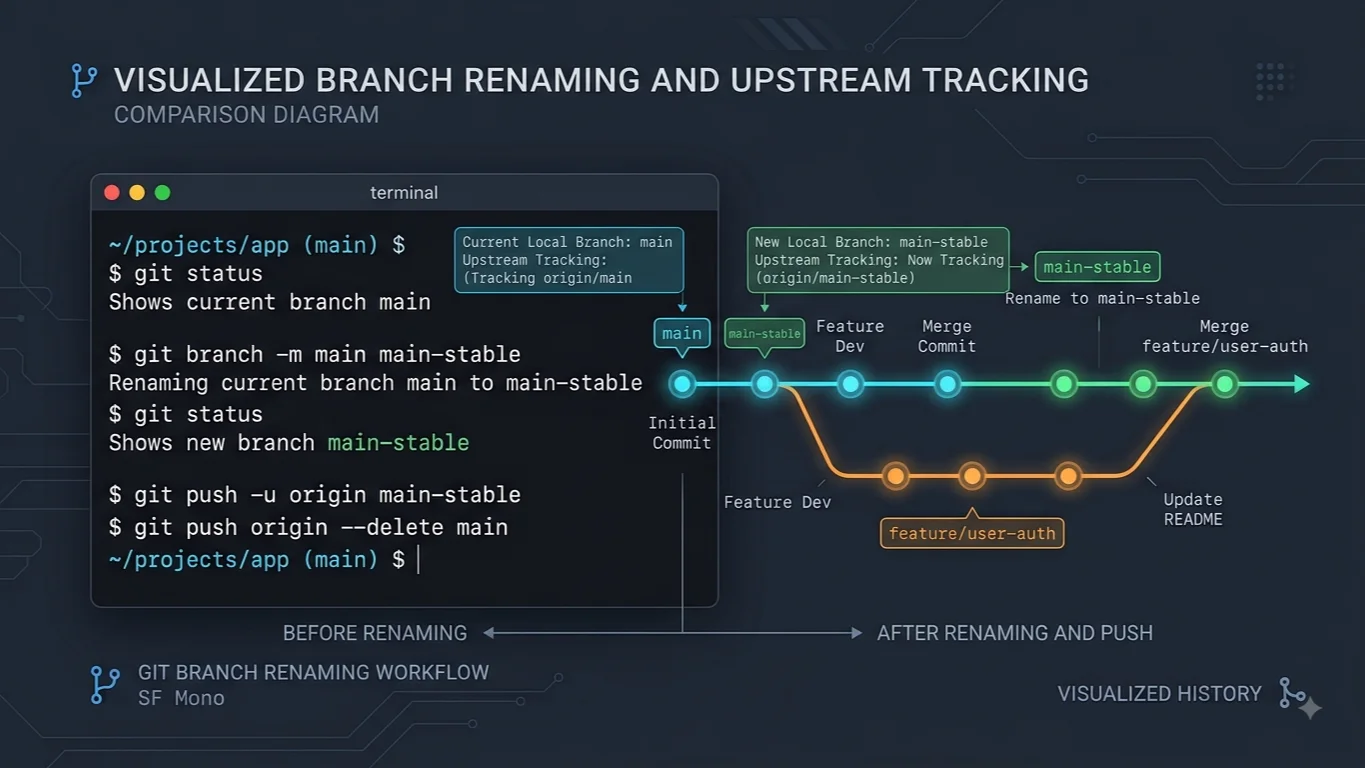
For more detail, see git rename branch.
For more detail, see delete local Git branches.
📌 Recommended Next Guides & References
  <li>
    <a href="/article/docker-and-kubernetes-how-they-work-together-2" class="text-primary hover:underline font-semibold flex items-center gap-2">
      <span>→</span> <span>Docker and Kubernetes: How They Work Together</span>
    </a>
  </li>

  <li>
    <a href="/article/kubernetes-ingress-explained" class="text-primary hover:underline font-semibold flex items-center gap-2">
      <span>→</span> <span>Kubernetes Ingress Explained: Routing, Controllers, and TLS</span>
    </a>
  </li>

  <li>
    <a href="/article/kubernetes-ingress-controller-explained" class="text-primary hover:underline font-semibold flex items-center gap-2">
      <span>→</span> <span>Kubernetes Ingress Controller Explained: Architecture, Routing, and Implementation</span>
    </a>
  </li>