Quick Answer
Containers are inherently ephemeral by design. When a standard container stops or is deleted, any data written inside its writable container layer disappears along with it. To build robust applications that store state, handle configuration files, or manage persistent databases, engineers must rely on Docker storage mechanisms. Two primary methods facilitate sharing data between the host machine and running containers: Docker volumes and bind mounts. Choosing the correct storage option is critical for application reliability, development speed, and data security.
Introduction to Docker Storage Management
Docker provides several ways to persist data inside containers on the host machine. By default, all files created inside a container are stored on a writable container layer. While this works for short-lived debugging tasks, it introduces severe limitations. The data does not persist when that container is no longer running, and moving data out of the container can be quite difficult. Furthermore, this writable layer is tightly coupled to the host machine's union file system, which can significantly degrade performance for write-heavy workloads.
To solve these challenges, Docker introduced persistent storage options that allow containers to read and write data outside of their ephemeral layers. This is where the core architectural choices come into play. Docker data persistence can be achieved using either managed volumes or host-managed bind mounts. Each approach relies on fundamentally different paradigms for how the host operating system interacts with the container filesystem. Understanding these mechanisms helps prevent data loss, security vulnerabilities, and unexpected performance bottlenecks in production environments.
What is a Docker Volume?
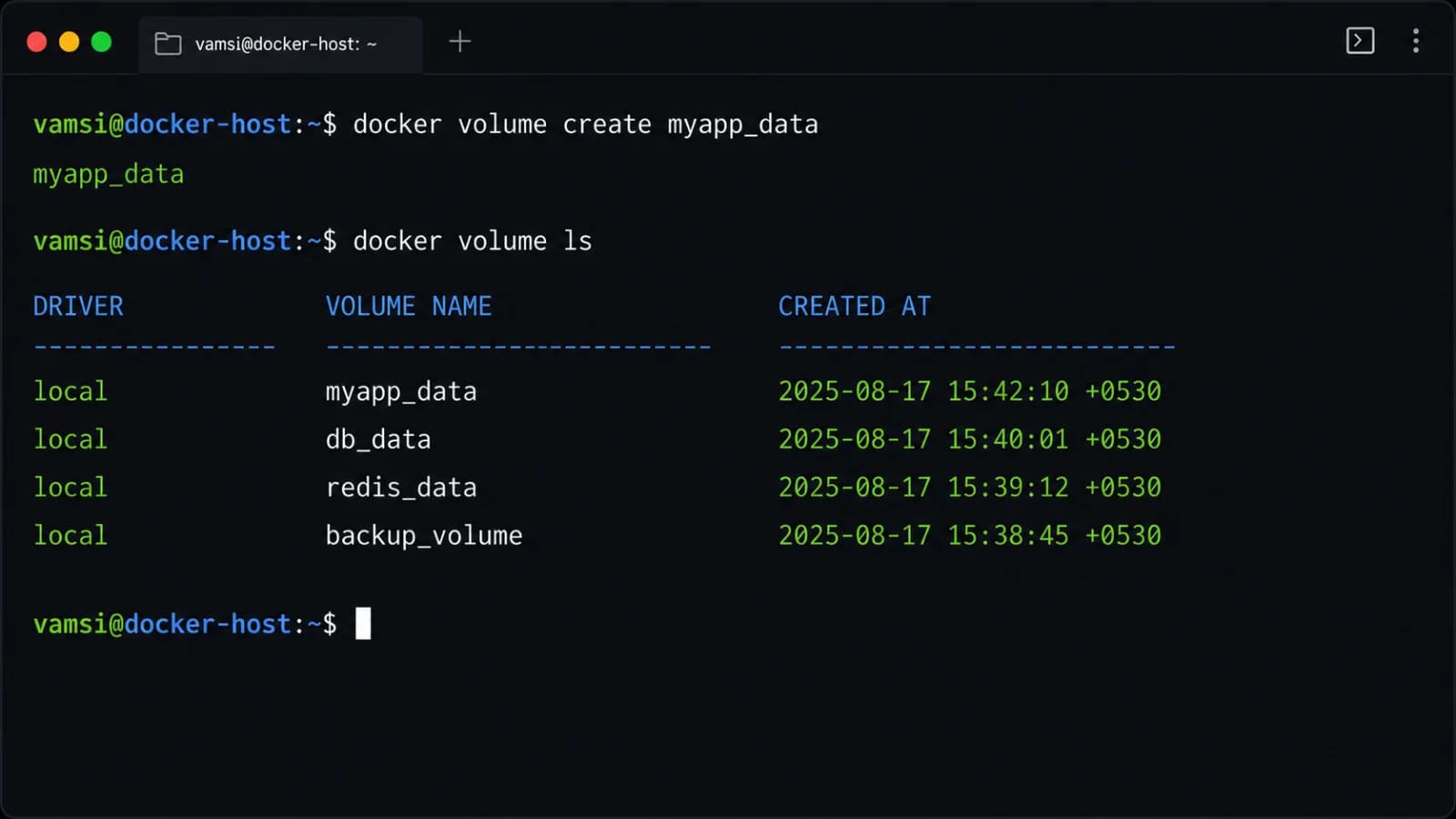
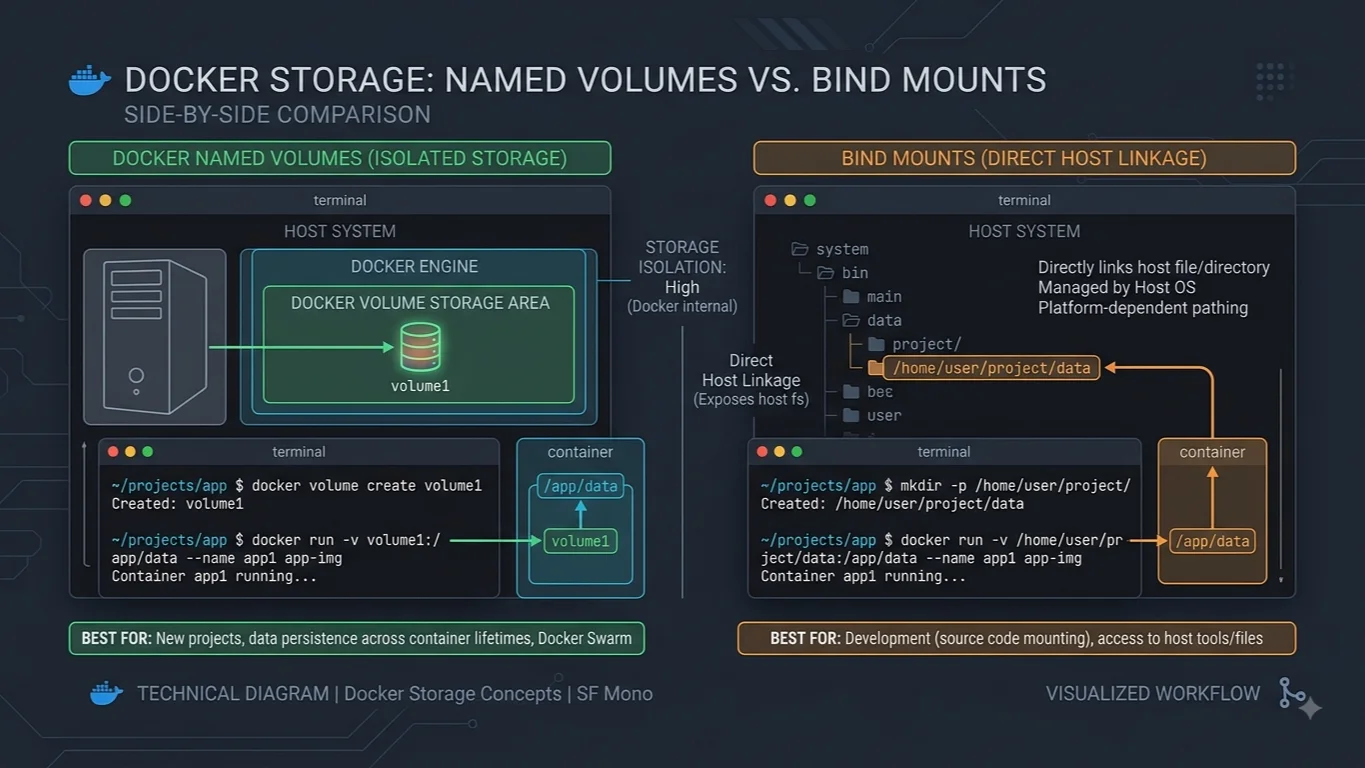
Docker volumes are the preferred mechanism for persisting data generated by and used by Docker containers. While bind mounts are dependent on the host machine's directory structure and file system, volumes are entirely managed by Docker. On Linux systems, volumes are stored in a dedicated directory on the host, such as /var/lib/docker/volumes/, which is completely controlled by the Docker daemon. Processes outside of Docker containers should not modify this directory, making volumes secure, isolated, and abstracted from the underlying host filesystem structure.
Volumes offer substantial advantages in portability and isolation. Because Docker manages them completely, they are platform-agnostic, working identically across Linux, Windows, and macOS Docker host environments. You can easily back up, migrate, or share volumes between different containers using Docker CLI commands or specialized backup tools. Furthermore, multiple containers can mount the same volume simultaneously, enabling safe data sharing in multi-container architectures. Docker also supports volume drivers, which allow you to store data on remote cloud providers, encrypted storage backends, or network-attached storage devices without changing your application code.
What is a Bind Mount?
Bind mounts have been available since the early days of Docker and offer a direct, unmanaged mapping between a file or directory on the host machine and a file or directory inside a container. Unlike volumes, where Docker creates a managed storage space, a bind mount relies entirely on the host system's existing directory tree and absolute file paths. If you specify a host path that does not exist, Docker will automatically create a directory at that path on the host, but the underlying permissions and structure remain strictly tied to the host operating system.
The primary appeal of bind mounts is their directness and flexibility, particularly during local software development. When you use a bind mount, any changes you make to files on your host machine—such as editing source code in your local IDE—are instantly reflected inside the running container. Conversely, if the application running inside the container modifies a file, that change is immediately written back to your host filesystem. This tight coupling makes bind mounts exceptionally useful for local code reloading and live testing, though it introduces significant security and portability risks when moved away from a controlled developer laptop.
Key Differences Between Volumes and Bind Mounts
Evaluating docker volume vs bind mount requires looking closely at several key dimensions: persistence, portability, permissions, performance, and management complexity. Each dimension highlights trade-offs that dictate which storage option fits a given scenario.
When examining data persistence, both mechanisms retain data when a container is stopped or deleted. However, Docker volumes are decoupled from the host directory structure, meaning deleting a container never affects the data inside a volume unless you explicitly invoke the volume removal command. Bind mounts point to specific host paths, so while deleting the container leaves the host files intact, modifying or deleting those host files outside of Docker can instantly corrupt the container application's state.
Portability represents another major divergence. Docker volumes are managed entirely through the Docker API and CLI. You can back them up, restore them, or move them between different Docker hosts without worrying about absolute file paths or host-specific user IDs. Bind mounts, by contrast, depend heavily on the host machine's specific directory layout. A bind mount pointing to /home/developer/project/config on an Ubuntu development laptop will fail or behave unexpectedly if deployed onto a production Linux server with a different file structure or user permission model.
Permissions and security also differ significantly. Bind mounts inherit the exact user and group permissions of the host directory. This frequently leads to permission denied errors when a container running as a non-root user tries to write to a host-mounted directory owned by root, or vice versa. Docker volumes, however, automatically manage file ownership to match the container's expectations upon creation, reducing permission friction. From a security standpoint, bind mounts expose arbitrary parts of the host filesystem to the container, creating potential attack vectors if a container is compromised. Volumes isolate storage within Docker's managed boundary.
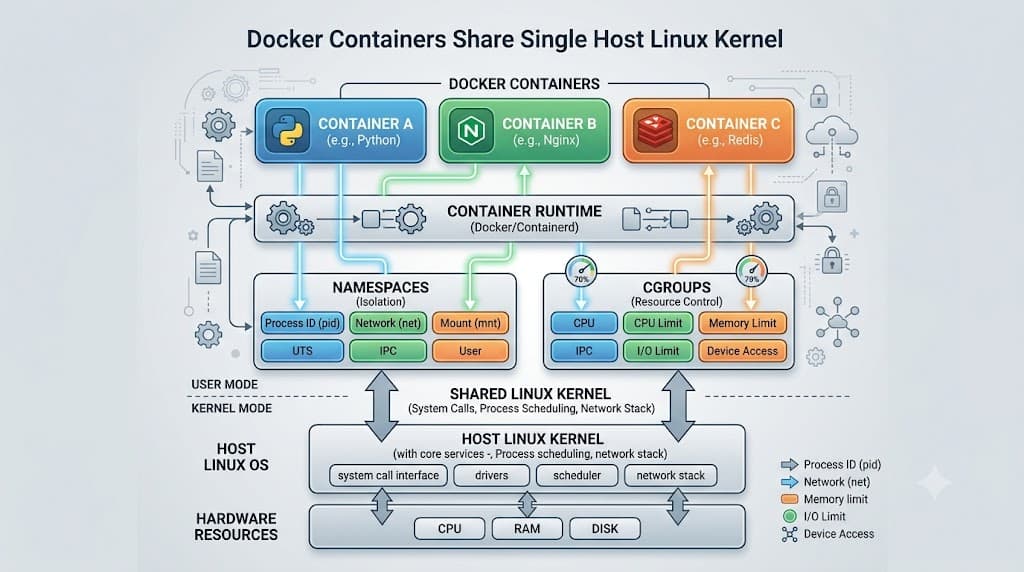
Performance profiles vary due to how file system operations are handled. Docker bind mount vs volume performance depends heavily on the host operating system. On Linux, both perform similarly because containers use native Linux kernel namespaces and mount namespaces. However, on macOS and Windows—where Docker runs inside a lightweight virtual machine—file I/O operations crossing the boundary between the host OS and the VM filesystem can become a severe bottleneck. Docker volumes stored entirely inside the VM's native Linux filesystem generally outperform bind mounts, which must continuously synchronize file changes across the host-to-VM virtualization boundary.
Detailed Comparison Table
To summarize the architectural and operational differences, a structured comparison highlights how volumes and bind mounts stack up across key technical criteria.
| Feature | Docker Volumes | Bind Mounts |
|---|---|---|
| Managed By | Docker Engine | Host Operating System |
| Host Location | Isolated Docker directory (e.g., /var/lib/docker/volumes/) | Any user-specified path on the host filesystem |
| Portability | High; fully abstracted from host paths | Low; tied to specific host file paths |
| Backup & Migration | Easy via Docker CLI and volume tools | Manual host-level file archiving |
| Performance (Mac/Windows) | Fast; resides in VM native filesystem | Slower due to host-VM file synchronization |
| Security Isolation | High; restricted to Docker management scope | Low; exposes arbitrary host directories to containers |
| Automatic File Generation | Creates empty directory if volume is new | Creates directory on host if path does not exist |
When to Use Docker Volumes
Docker volumes are the industry standard for production environments and any scenario requiring robust data persistence. Because they are completely managed by the Docker daemon, they shield your application from host-specific quirks and permission mismatches.
The most prominent use case for Docker volumes is database storage. Whether you are running PostgreSQL, MySQL, Redis, or MongoDB inside a container, you must ensure that transaction logs, tables, and indexes survive container crashes, updates, and redeployments. Storing database files in a Docker volume guarantees that your state persists safely without exposing database internals to the host filesystem. Other ideal use cases include sharing data between multiple independent containers via a shared volume, storing application logs that need to be harvested by sidecar containers, and maintaining cache directories that should persist across container lifecycles.
When to Use Bind Mounts
While production environments heavily favor volumes, bind mounts excel in specific development and administrative workflows where tight integration with the host machine is desirable rather than a liability.
The quintessential use case for bind mounts is local software development. Developers frequently mount their local source code directory directly into a container running a development server with hot-reloading enabled. This allows developers to edit code in their preferred IDE on the host machine and see the changes compiled or reloaded instantly inside the container without rebuilding the Docker image. Another common use case is passing configuration files from the host into a container, such as mounting an Nginx configuration file or SSL certificates directly into a running web server container. Furthermore, bind mounts are useful when you need to grant a container direct access to host system artifacts, such as Docker socket access for Docker-in-Docker CI/CD pipelines.
📌 Recommended Next Guides & References
  <li>
    <a href="/article/docker-and-kubernetes-how-they-work-together-2" class="text-primary hover:underline font-semibold flex items-center gap-2">
      <span>→</span> <span>Docker and Kubernetes: How They Work Together</span>
    </a>
  </li>

  <li>
    <a href="/article/kubernetes-ingress-explained" class="text-primary hover:underline font-semibold flex items-center gap-2">
      <span>→</span> <span>Kubernetes Ingress Explained: Routing, Controllers, and TLS</span>
    </a>
  </li>

  <li>
    <a href="/article/kubernetes-ingress-controller-explained" class="text-primary hover:underline font-semibold flex items-center gap-2">
      <span>→</span> <span>Kubernetes Ingress Controller Explained: Architecture, Routing, and Implementation</span>
    </a>
  </li>