Introduction to Git Cherry-Pick
Quick Answer
Version control systems like Git provide powerful tools for managing codebases, collaborating with teams, and tracking changes over time. While standard workflows usually involve merging entire branches or rebasing work, developers frequently encounter scenarios where they need a more surgical approach. Imagine a situation where a critical bug fix is buried deep inside a feature branch, but that feature branch is not yet ready for production. Instead of merging the entire branch and introducing half-baked features to the main codebase, developers need a way to extract just that single bug fix and apply it immediately. This exact requirement is where git cherry-pick becomes an indispensable utility in a software engineer's toolkit.
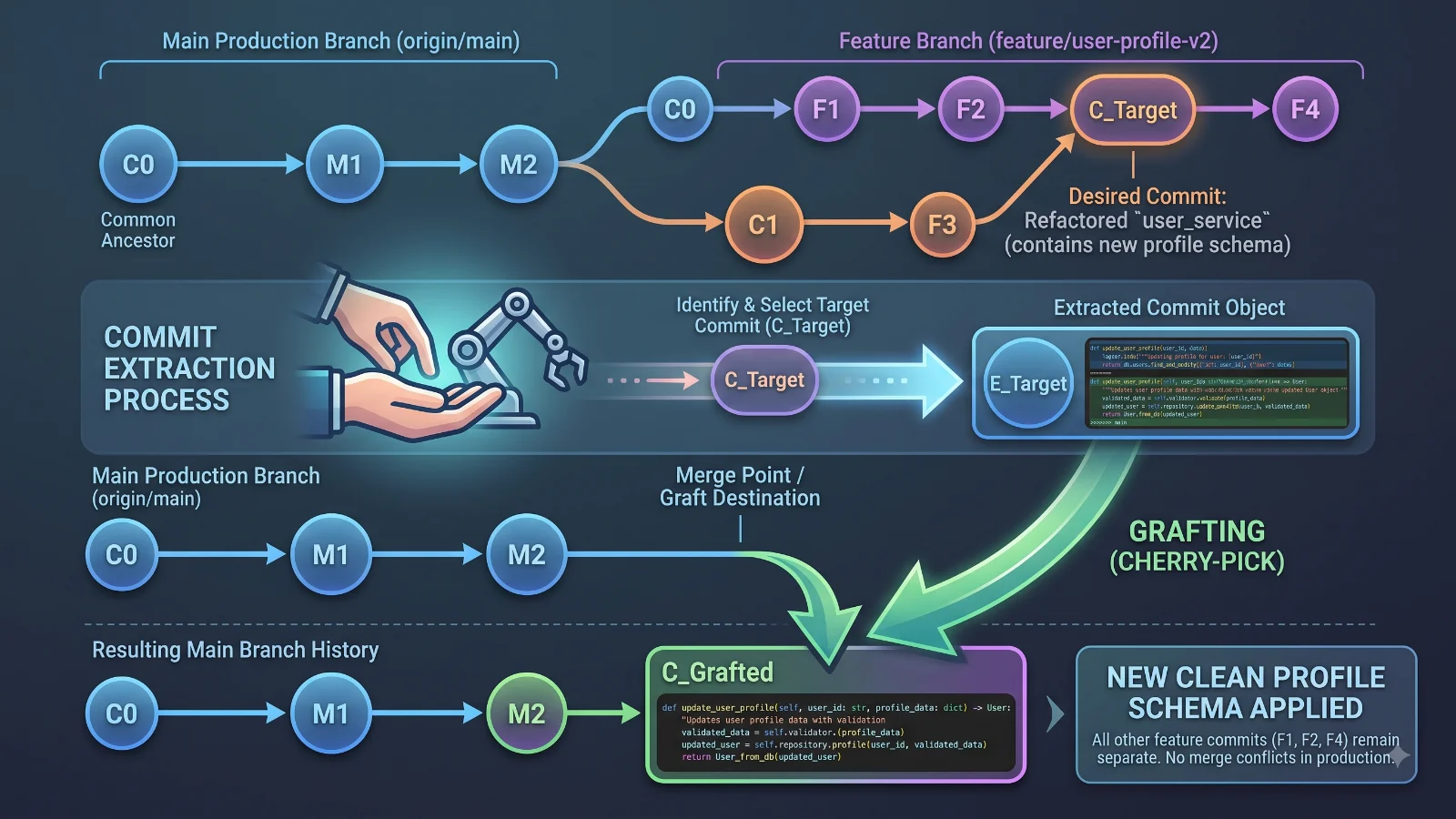
Cherry-picking allows developers to choose a specific commit from one branch and graft it onto the current working branch. This capability bridges the gap between rigid branch-level operations and granular code management. By understanding how to isolate and apply individual changes, development teams can maintain cleaner release histories, expedite urgent patches, and share code across disjointed branches without unwanted side effects. Throughout this guide, we will explore the mechanics, commands, real-world applications, potential risks, and best practices associated with mastering git cherry-pick.
What is Git Cherry-Pick?
At its core, git cherry-pick is a command that enables you to take a specific commit from any branch in your repository and apply it directly to your current HEAD branch. Unlike a traditional merge, which combines all the divergent history of two branches, or a rebase, which moves an entire sequence of commits, a cherry-pick isolates a single change and treats it as a brand-new commit on the target branch.
To understand this conceptually, think of your Git history as a tree of snapshots. Each commit represents a specific diff or set of modifications applied to the codebase. When you execute a cherry-pick, Git reads the changes introduced by the target commit hash, creates a new patch, and attempts to apply that patch to your active working directory. If successful, a new commit is generated on your current branch, complete with a new SHA-1 hash, though it retains the original author information and commit message by default.
This mechanism is particularly powerful when working in multi-environment deployment pipelines. For instance, QA teams might find a regression in a staging environment that was already patched in a developer's local experimental branch. Instead of waiting for the experimental feature to pass all review stages, a lead engineer can cherry-pick the patch directly into the staging branch to unblock testing. The flexibility of selecting precisely what code moves where makes git cherry-pick a cornerstone of advanced version control management.
How Git Cherry-Pick Works
For more detail, see resolve merge conflicts.
See also: resolve merge conflicts
Under the hood, git cherry-pick operates by performing a modified merge between the parent of the target commit and your current HEAD. When you invoke the command, Git examines the exact changes introduced by the specified commit hash. It then attempts to replay those exact modifications onto your current working tree.
To break down the internal sequence step by step: First, Git identifies the target commit and its immediate parent commit to determine the exact diff. Second, Git compares this diff against your current working branch. Third, it attempts to apply the changes automatically. If the surrounding code in your current branch matches the context of the original commit, the process completes seamlessly, recording a brand-new commit with its own unique identifier. However, if the code in your current branch has diverged significantly or conflicts with the lines being modified, Git pauses the process and requires manual intervention to resolve the discrepancies.
It is important to remember that a cherry-picked commit is not linked to the original commit in terms of lineage. Even though the code changes are identical, Git treats the new commit as an independent entity. This means that if the original branch is later merged into the target branch, Git may see similar changes twice, which can occasionally lead to merge conflicts if not managed properly. Understanding this foundational behavior helps developers anticipate how their repository history will evolve when utilizing cherry-picks.
Components and Syntax
Using git cherry-pick effectively requires familiarity with both basic commands and advanced flags that alter how the operation behaves. The simplest form of the command requires only the target commit hash:
git cherry-pick <commit-hash>
When you run this command, Git applies the commit and immediately opens your default text editor to let you modify the commit message. If you want to bypass the editor and use the original commit message automatically, you can supply the -e flag or rely on default behavior in many modern Git versions, though explicitly adding flags ensures predictable automation. Here are several essential flags and syntax variations:
-nor--no-commit: This flag applies the changes from the specified commit to your working directory and staging area without creating an actual commit. This is useful when you want to inspect the changes, combine multiple commits together, or make additional tweaks before finalizing the commit.-x: This flag appends a standardized trailer to the commit message indicating where the cherry-pick originated, noting the original commit hash. This practice aids traceability in open-source projects or large teams.--continue: Used after resolving merge conflicts, this tells Git to proceed with finalizing the cherry-pick operation.--abort: Cancels the cherry-pick operation entirely and restores your working tree to the exact state it was in before you started.--quit: Exits the cherry-pick process immediately while leaving any staged or unstaged changes currently in your working directory intact.
You can also cherry-pick a range of commits. For example, applying a sequence of non-inclusive commits can be achieved using revision ranges or combining commands in shell scripts, though caution must be exercised to maintain chronological order.
Practical Example of Cherry-Picking
Consider a common real-world scenario: You are working on a large feature branch named feature/user-dashboard that contains dozens of experimental commits. Meanwhile, your production branch, main, has encountered a critical styling bug reported by users. A junior developer has already fixed this specific bug on a separate branch called fix/button-alignment with the commit hash a1b2c3d.
Instead of merging the entire fix/button-alignment branch—which might pull in unfinished code—or manually copying and pasting the CSS changes, you can use git cherry-pick to pull just that single fix directly into main.
First, switch to your production branch and ensure your working tree is clean:
git checkout main
git pull origin main
Next, execute the cherry-pick command using the commit hash of the bug fix:
git cherry-pick a1b2c3d
Git will analyze the diff, apply the CSS changes to your local main branch, and create a new commit. You can verify the success of the operation by reviewing the commit log:
git log --oneline -n 5
You will see your newly cherry-picked commit sitting at the top of the main branch history with a unique hash, while retaining the original commit message. Finally, push the updated main branch to the remote repository to deploy the hotfix:
git push origin main
Benefits of Using Cherry-Pick
Git cherry-pick offers distinct strategic advantages for development teams that prioritize clean, deliberate code management. The primary benefit is surgical precision. In large enterprise codebases, branches often diverge rapidly, accumulating extensive experimental work, refactoring, and debugging history. Forcing a full merge or rebase just to acquire a single bug fix introduces unnecessary noise and potential regressions into stable environments.
Another significant advantage is workflow flexibility. Developers do not need to wait for lengthy code reviews of entire feature branches to share urgent patches across teams. By isolating specific commits, hotfixes can move across testing, staging, and production environments instantaneously. Furthermore, cherry-picking empowers developers to maintain strict control over release contents, ensuring that only validated, production-ready changes reach customer-facing environments.
Limitations and Risks
Despite its utility, git cherry-pick comes with notable limitations and potential hazards that developers must navigate carefully. The most prominent risk is the duplication of commit history. Because a cherry-pick creates an entirely new commit with a different SHA-1 hash rather than moving an existing one, Git treats the original and the cherry-picked commits as completely separate entities. If the branch containing the original commit is eventually merged into the target branch, Git may fail to recognize that the changes are identical, resulting in redundant merge conflicts.
Overuse of cherry-picking is another anti-pattern known as 'cherry-pick-driven development.' Relying on cherry-picks instead of proper merging and branching strategies can severely clutter your repository history, making it difficult to trace code provenance using tools like git blame or git log. When multiple developers cherry-pick patches back and forth across feature branches without coordination, tracking which branch introduced a specific feature becomes an arduous debugging task. Teams should view cherry-picking as an exception-handling tool for hotfixes and cross-branch sharing, rather than a primary method for feature integration.
Frequently Asked Questions
How do I resolve conflicts during a git cherry-pick?
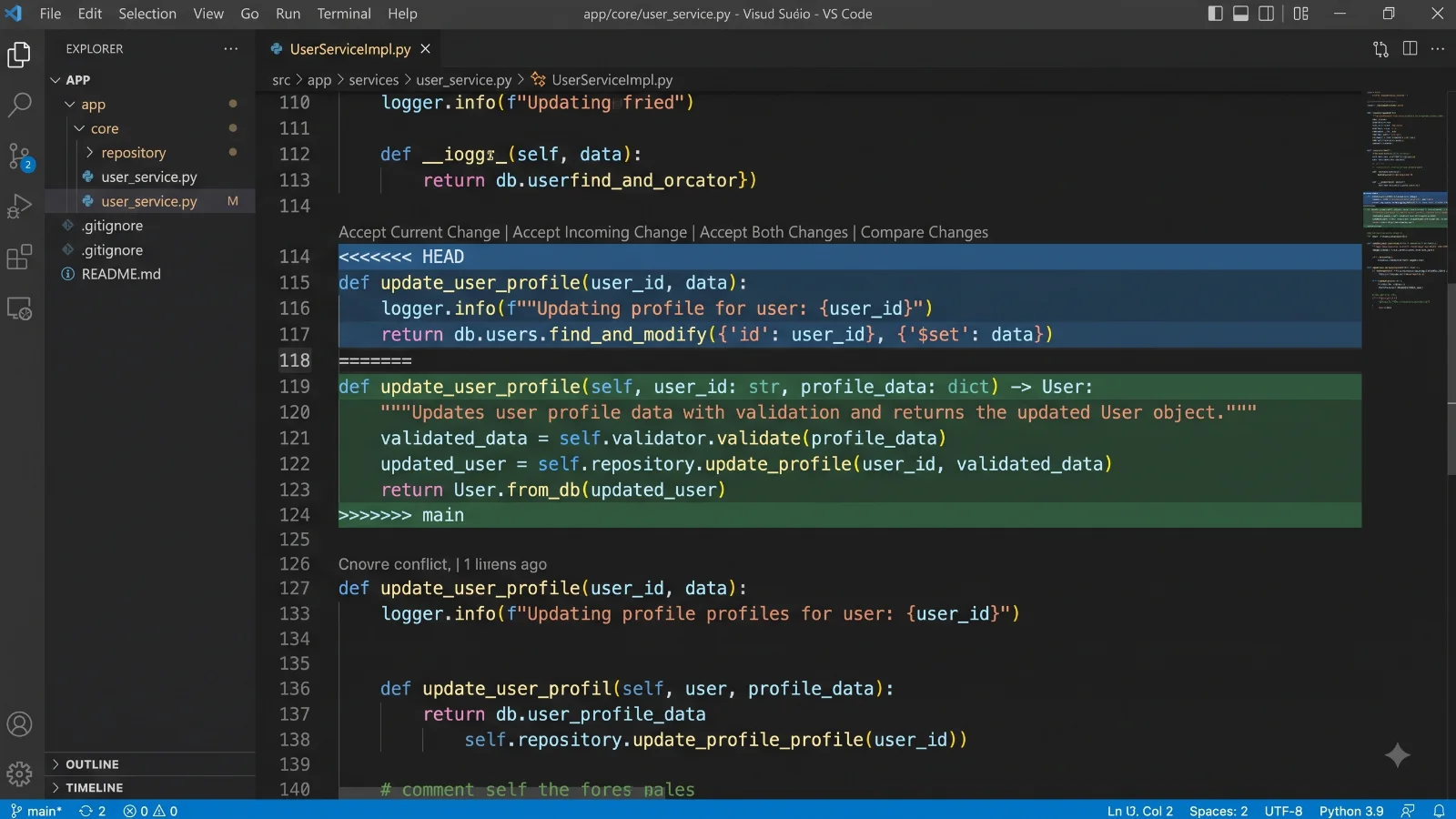
When Git encounters conflicting changes during a cherry-pick, it pauses the operation and marks the affected files as having conflicts. You must open these files, manually edit the code to resolve the discrepancies, stage the resolved files using git add <file>, and then resume the process by running git cherry-pick --continue.
Can I cherry-pick multiple commits at once?
Yes, you can apply multiple commits in a single command by listing their hashes separated by spaces, or by specifying a range. For example, git cherry-pick <hash1> <hash2> applies them sequentially. You can also specify a range using revision syntax, such as git cherry-pick A..B or git cherry-pick A^..B depending on whether you want to include the starting commit.
How do I undo a git cherry-pick after it has been executed?
If you have just completed a cherry-pick and want to undo it before pushing to a remote repository, you can reset your branch pointer back to the previous commit using git reset --hard HEAD^. If the commit has already been pushed, the safest approach is to create a revert commit using git revert <new-commit-hash> to maintain a clean history.
What is the difference between git merge and git cherry-pick?
A git merge combines entire branches by finding their common ancestor and merging their divergent histories together. A git cherry-pick, on the other hand, extracts a single, specific commit from any branch and applies it as a new, independent commit onto your current working branch without combining the underlying branch histories.
Conclusion
Mastering git cherry-pick empowers software engineers to handle urgent hotfixes, manage complex multi-environment deployments, and share code adjustments with surgical precision. While it provides an invaluable escape hatch when traditional merging is impractical, it must be used judiciously to avoid duplicate history and convoluted repository structures. By understanding its underlying mechanics, knowing how to gracefully resolve conflicts, and adhering to best practices, developers can leverage git cherry-pick to maintain robust, clean, and efficient version control workflows.
📌 Recommended Next Guides & References
  <li>
    <a href="/article/docker-and-kubernetes-how-they-work-together-2" class="text-primary hover:underline font-semibold flex items-center gap-2">
      <span>→</span> <span>Docker and Kubernetes: How They Work Together</span>
    </a>
  </li>

  <li>
    <a href="/article/kubernetes-ingress-explained" class="text-primary hover:underline font-semibold flex items-center gap-2">
      <span>→</span> <span>Kubernetes Ingress Explained: Routing, Controllers, and TLS</span>
    </a>
  </li>

  <li>
    <a href="/article/kubernetes-ingress-controller-explained" class="text-primary hover:underline font-semibold flex items-center gap-2">
      <span>→</span> <span>Kubernetes Ingress Controller Explained: Architecture, Routing, and Implementation</span>
    </a>
  </li>